

Chat with Kubeuron AI
Ask about your business in plain words, and let the assistant do the work.
In the dashboard
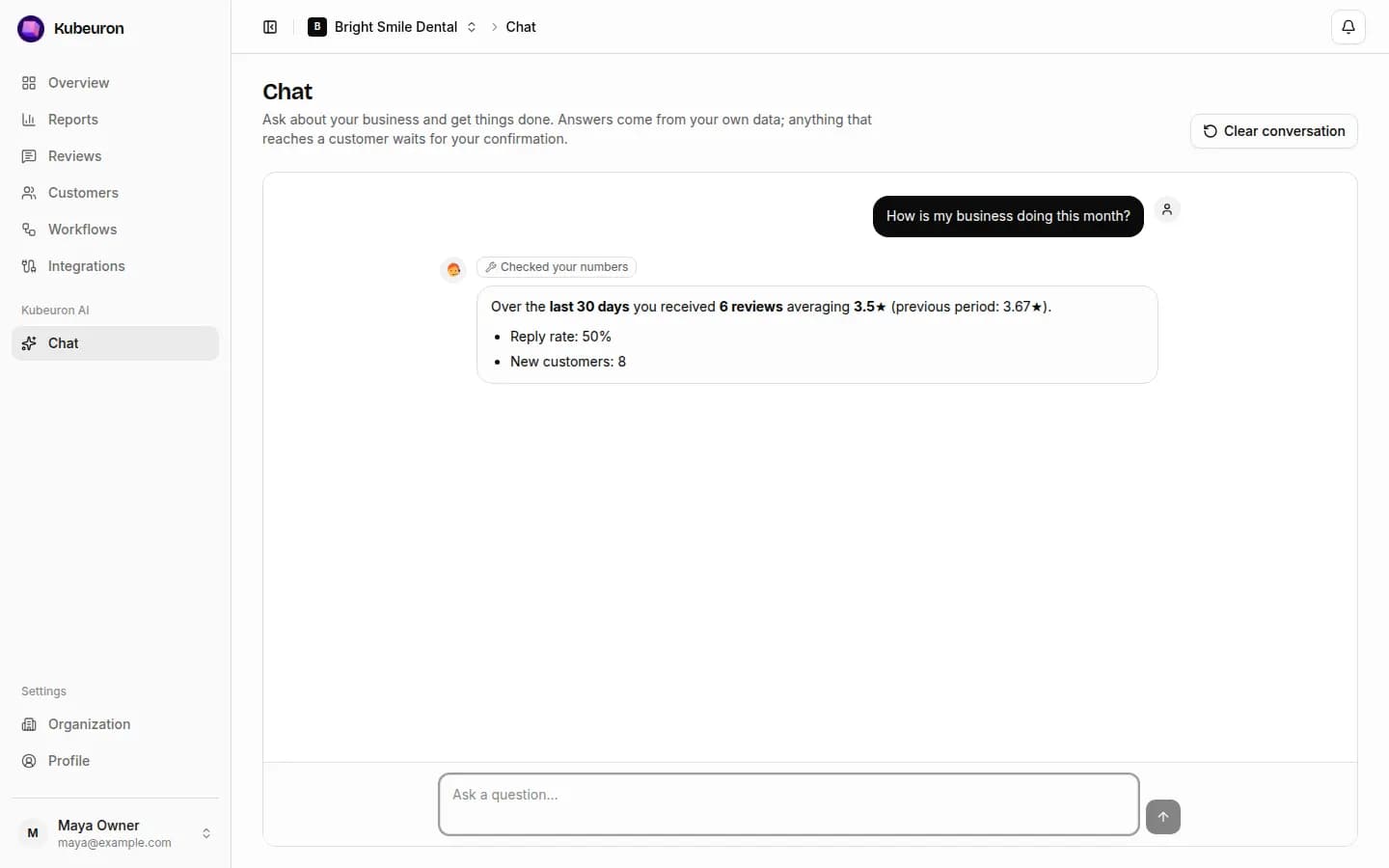
Kubeuron AI is the analyst built into Kubeuron. It answers from your own data — reviews, customers, requests and workflows — never from guesses, and it can act for you.
Ask anything about your business
| Ask | It checks |
|---|---|
| How is my business doing this month? | Your numbers against the previous period |
| What are customers complaining about? | Review themes and the reviews behind them |
| Which customers should I ask for a review? | Customer groups: never asked, happy reviewers, asked without a review |
| Which workflows would help me most? | Your customers, channels, review sites and current workflows |
| How do I connect Google? | These docs, with a link to the right page |
Above each answer, small labels show what it checked, such as Checked your numbers or Searched reviews.
Let it do the work
Ask for the task
For example: "Add Jordan Lee, 512 555 0199, tag walk-in" or "Draft replies to my unanswered 1★ and 2★ reviews".
It does safe changes straight away
Adding or editing a customer, saving a reply as a draft, or creating a workflow (switched off) happens directly, and it tells you what it did.
You confirm anything that matters
Sending review requests, publishing a reply, deleting a customer and switching a workflow on or off appear as a card. Nothing happens until you select Confirm.
Good to know
- The same conversation follows you between the side panel, the Chat page and your phone.
- Clear conversation empties the screen. To make the assistant forget what it learned, use Organization → AI → Reset AI context.
- It never offers incentives for reviews and never asks anyone to change or remove one.
- It replies in the language you write in.